Receipt QR Code

Turn every POS receipt into a loyalty program enrollment opportunity with a scannable QR code.

The Receipt QR Code extension prints a scannable QR code on your Shopify POS receipts. When a new customer scans it, they can sign up for your loyalty program and automatically receive points for that in-store purchase — no manual action needed from your staff.

Available on all Shopify plans that support Shopify POS. No Shopify Plus required.

Example of receipt

Why Use It

In-store purchases are one of the hardest touchpoints to convert into loyalty program members. Customers walk out without ever knowing your program exists. The Receipt QR Code closes that gap by placing a signup prompt directly on the receipt — the one thing every customer takes with them.

  • Automatic point attribution: The QR code links the transaction to the new account, so the customer earns points for the purchase that generated the receipt.
  • Zero friction for staff: No need to ask customers to sign up at the counter. The receipt does the work.
  • Customizable messaging: Add a text message above the QR code to encourage scanning, or keep it clean with just the code.
  • Existing customer handling: Optionally show a confirmation message to customers already in your program instead of the QR code (e.g. "You're earning points with this purchase!").

How It Works

  1. A customer makes an in-store purchase through Shopify POS.
  2. The receipt prints with a QR code (new customers) or a custom message (existing customers).
  3. The new customer scans the QR code with their phone.
  4. They land on a page to sign up and claim the points from that transaction.

Configuration

You'll find the extension in Customize → On-Site → Receipt QR Code inside your JeriCommerce admin panel. The setup involves two steps:

  1. Customize your messages — Toggle and edit the text shown above the QR code and the message for existing customers.
  2. Copy the generated Liquid code into your Shopify POS receipt editor.

The extension generates a Liquid template that updates in real time as you change settings. A direct link to the Shopify receipt editor is provided for convenience.
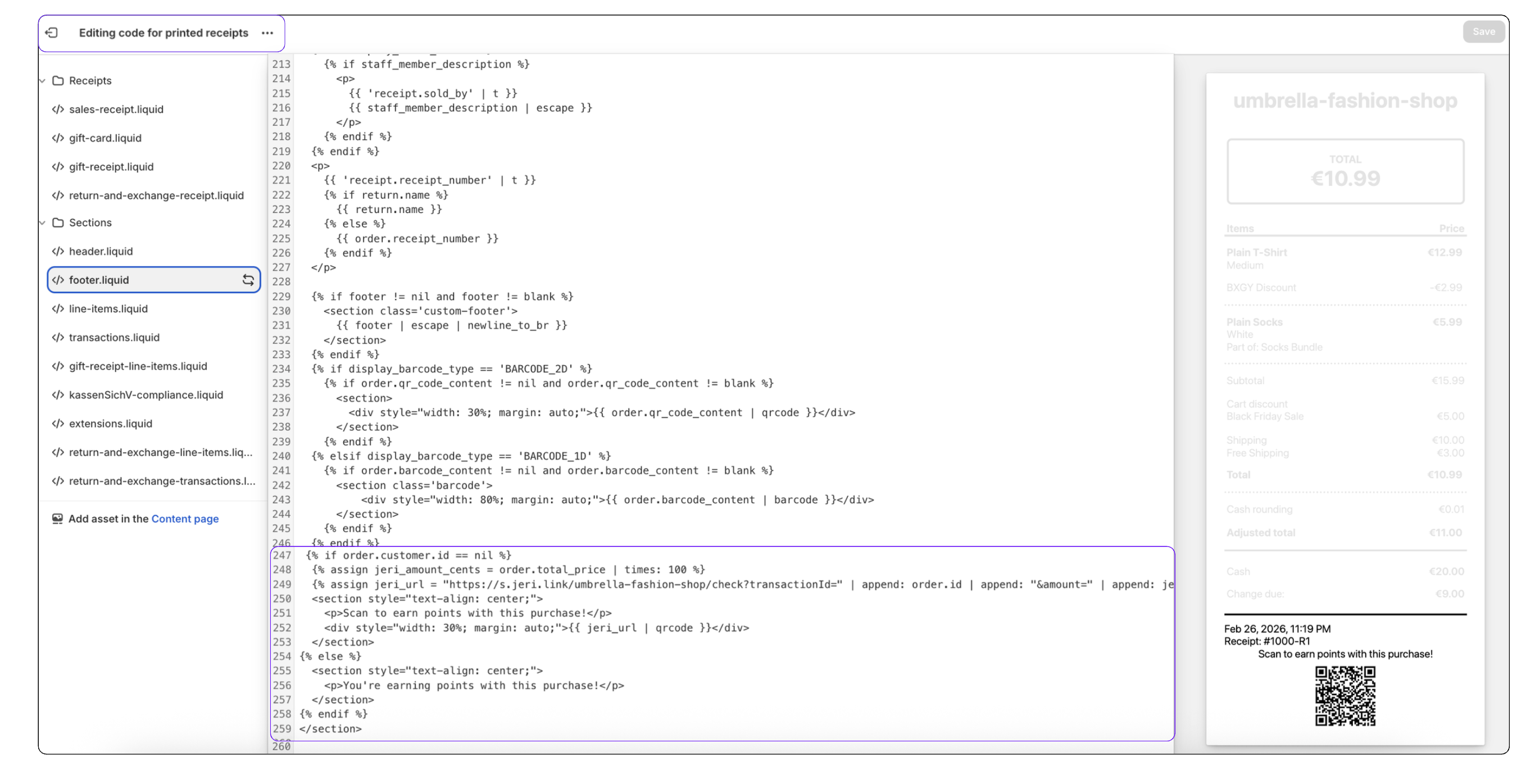
Shopify Code Editor for Printed Receipts

FAQ

What happens when a customer scans the QR code?

They are taken to a page where they can verify the purchase and sign up. Points are automatically linked to their new account.

Does the QR code appear for all customers?

Only for new customers not yet linked to the order. Existing customers see the custom message instead (if enabled).

Can I update the messages later?

Yes. Update the text in JeriCommerce, copy the new Liquid code, and paste it again in Shopify.

Topics

Integrations