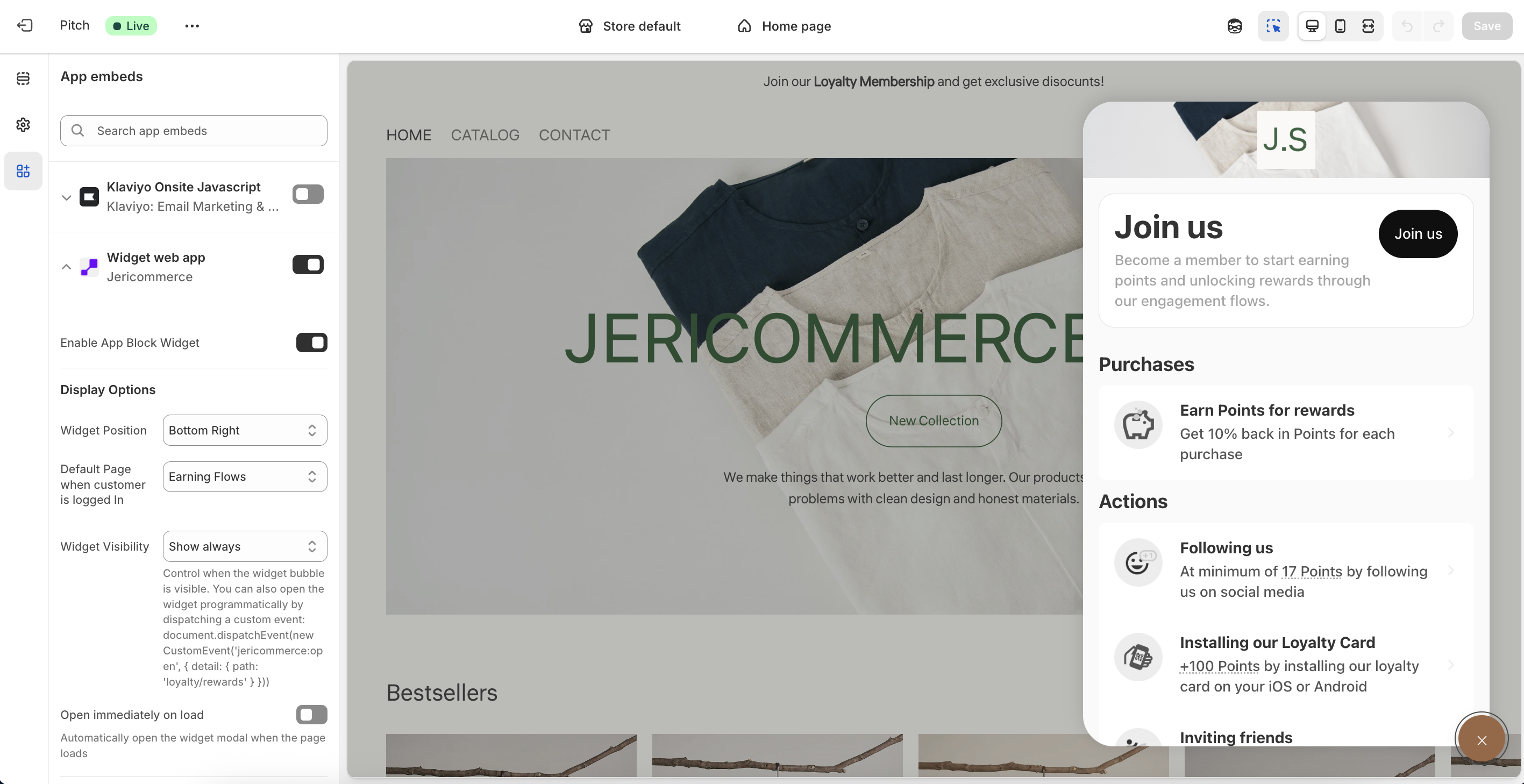
The JeriCommerce Widget is a customizable app embed that allows your customers to access their rewards, tiers, and coupons directly on your online store. This means that all management features are available directly from your store, making it easy for your customers.
Customization
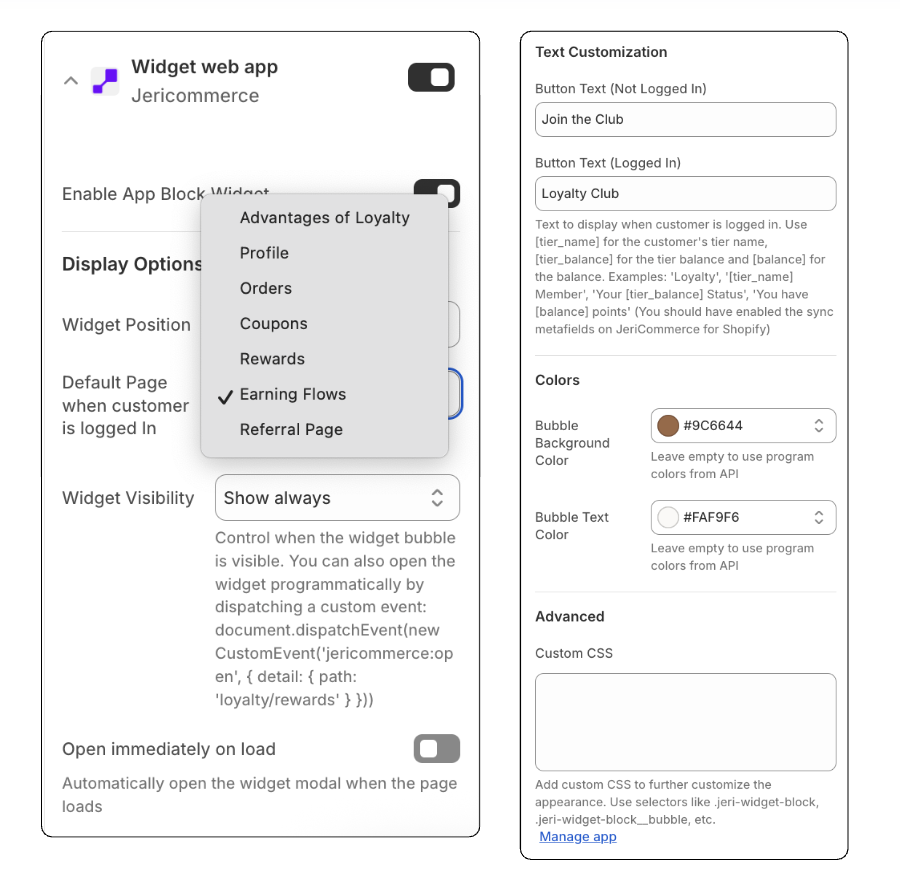
The widget button is completely customizable to match your brand's aesthetic. You can define:
Customizable Button: The widget button is completely customizable to match your brand's look and feel.
Navigation Control: You can customize which specific page opens when a customer clicks the widget.
Visibility Rules: You can choose whether the widget appears on specific pages or is hidden from all customers or just from those who are not logged in.
Integrated Access (Camouflaged Mode): If you choose to hide the main widget button, you can enable a smaller, more integrated button. This allows customers to access the loyalty pages via a subtle element that blends seamlessly into your page design for a "camouflaged" look.
Online Store - App embeds - Widget
Deep Linking
You can create a URL from your emails or SMS with a query parameter that opens the widget as soon as the page loads. You can access the specific page you want by adding the desired value to the jeri query parameter.
The widget can also be opened from any button or link you choose to include on your site. We support the same strategy with fragments, which is great because it prevents the need to reload every time you attach to the URL.
Examples
<ahref="#jeri"> See your Level </a><ahref="#jeri=profile/coupons"> Open my coupons </a>
Available Routes
Path
Details
Registration & Login
check
Email verification
Profile
profile
User profile
orders
Order history
coupons
List of redeemed or assigned coupons
coupons/:couponSlug/:couponCode
Specific coupon details
Loyalty & Rewards
loyalty
Main loyalty landing page (defaults to earning flows)



.png)


.png)